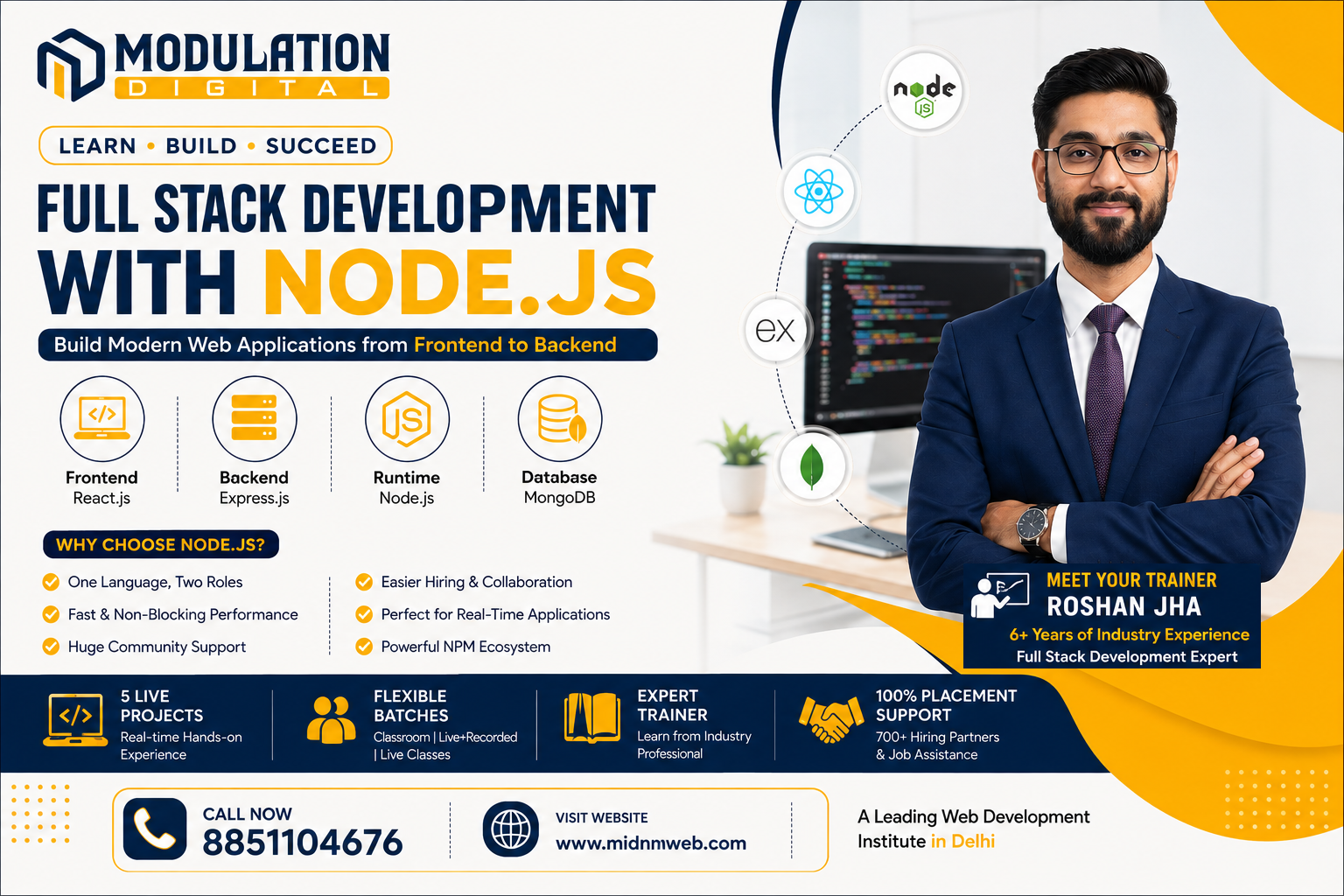
Why Node.js for Full Stack Development?
Node.js lets developers use JavaScript on both the frontend and backend — something most other backend languages can't offer. This single-language advantage means:
| Benefit | Why It Matters |
| One language, two roles | No need to switch mental context between frontend and backend code |
| Fast, non-blocking performance | Handles multiple requests efficiently without slowing down |
| Huge community support | One of the largest open-source ecosystems in web development |
| Easier hiring & collaboration | Frontend and backend developers can read each other's code more easily |
Understanding Node.js Architecture
Node.js works differently from traditional backend systems, and understanding this is key to appreciating why it's so popular:
- Event-driven architecture — Node.js reacts to events (like a user request) instead of following a rigid, step-by-step process
- Non-blocking I/O — it can handle new requests while still processing earlier ones, instead of making everyone wait in line
- Single-threaded, but highly efficient — despite running on a single thread, its event loop allows it to manage thousands of simultaneous connections smoothly
Simple Analogy: Think of a traditional server like a single waiter taking one order at a time, fully finishing it before moving on. Node.js is like a waiter who takes an order, starts it cooking, and immediately moves to take the next order — checking back only when each dish is ready.
The Complete Node.js Full Stack Toolkit
Any structured program at a Best Web Development Institute in Delhi will typically teach this exact combination — a typical Node.js full stack setup (often called the MERN stack) includes:
| Layer | Technology | Role |
| Frontend | React.js | Builds the interactive user interface |
| Backend Framework | Express.js | Simplifies building APIs and handling server logic |
| Runtime | Node.js | Executes JavaScript on the server |
| Database | MongoDB | Stores application data in a flexible, JSON-like format |
Building a Simple App — What the Process Looks Like
Here's a simplified look at how a basic Node.js full stack app comes together:
- Set up the backend — create a Node.js server using Express to handle requests
- Connect a database — link MongoDB to store and retrieve application data
- Build API routes — define endpoints like /users or /products that the frontend can call
- Build the frontend — create the user interface using React
- Connect frontend to backend — use API calls (fetch or Axios) to send and receive data
- Test and deploy — run the app locally, then host it on a live server
Node.js vs Other Backend Technologies
| Technology | Best For | Learning Curve |
| Node.js | Real-time apps, APIs, startups needing speed | Moderate (easy if you know JavaScript) |
| PHP | Traditional websites, WordPress-based projects | Beginner-friendly |
| Python (Django) | Data-heavy applications, AI-integrated apps | Moderate |
| Java (Spring Boot) | Large-scale enterprise systems | Steeper learning curve |
There's no universal "best" choice here — Node.js particularly shines in real-time applications like chat apps, live notifications, and APIs that need to handle many simultaneous users efficiently.
NPM and the Node.js Package Ecosystem
One of Node.js's biggest advantages is NPM (Node Package Manager) — a massive library of pre-built code that developers can plug into their projects instead of building everything from scratch.
- Need authentication? There's a package for that
- Need to send emails? There's a package for that
- Need to process payments? There's a package for that too
This ecosystem is a huge reason Node.js projects can move from idea to working prototype so quickly compared to languages with smaller package libraries — a lot of common problems have already been solved by someone else and shared publicly.
Real-World Companies Using Node.js
Node.js isn't just popular in tutorials — major companies rely on it in production:
- Netflix — uses Node.js to reduce startup time and improve performance
- LinkedIn — moved its mobile backend to Node.js for better efficiency
- PayPal — reported faster development and fewer lines of code after switching to Node.js
- Uber — uses Node.js for its ability to handle massive numbers of real-time requests
Common Interview Questions for Node.js Developers
If you're preparing for a Node.js role, these commonly come up:
- What is the event loop, and how does it work?
- What's the difference between synchronous and asynchronous code?
- How does Node.js handle multiple requests with a single thread?
- What is middleware in Express.js?
- How do you handle errors in asynchronous Node.js code?
Being able to explain these clearly, ideally with real project examples rather than textbook definitions, makes a strong impression in technical interviews and shows you've actually built with the technology, not just studied it.
About Modulation Digital
Modulation Digital is a well-known Best Web Development Institute in Delhi focused on practical, project-based training rather than just theory. Students build real Node.js applications from scratch during the course, gaining hands-on experience with the exact tools used in the industry today.
Modulation Digital vs Other Web Development Institutes
Not all institutes offer the same learning experience. Here's how Modulation Digital generally compares to typical web development training centers:
| Factor | Most Other Institutes | Modulation Digital |
| Teaching Style | Mostly theory, occasional projects | 100% real-time training with live projects throughout |
| Live Projects | Often 1-2 sample projects | 5 live projects across every course format |
| Batch Flexibility | Usually one fixed format | Choice of Classroom, Live+Recorded, or Live Classes |
| Doubt Resolution | Limited or delayed support | Dedicated doubt sessions during or alongside classes |
| Placement Support | Generic job portal referrals | Dedicated Placement Cell with 700+ hiring partners |
| Trainer Background | Varies widely | Experienced trainers with real industry backgrounds |
| Learning Material Access | Often expires after the course | Lifetime access to recorded sessions and materials |
The biggest difference usually isn't the syllabus on paper — most institutes teach similar topics. It's the depth of hands-on practice, real placement follow-through, and ongoing support that tends to separate a genuinely useful learning experience from one that just checks boxes.

Meet Your Trainer – Roshan Jha
Leading full stack and Node.js training is Roshan Jha, who brings over 6 years of industry experience working across JavaScript-based web technologies. His teaching approach focuses on building real, working applications step by step, helping students genuinely understand how the frontend, backend, and database layers connect — not just memorize syntax.
Our Web Development Course Formats
Modulation Digital offers three flexible ways to learn, all covering the same core modules — HTML5 & CSS, Bootstrap & Tailwind CSS, JavaScript (jQuery & React), and Photoshop — over a 14-week program:
| Class Room Program | Live + Recorded Program | Live Classes | |
| Format | In-person classroom | Recorded video + live doubt sessions | Fully live online |
| Class Hours | 2 Hours (Mon to Fri) | 120+ Hours Recorded (watch anytime) | 2 Hours (Mon to Fri) |
| Training Style | 100% Real-Time Training | Self-paced recorded videos | 100% Real-Time Training |
| Live Projects | 5 Live Projects | 5 Live Projects | 5 Live Projects |
| Doubt Support | During Classes | Live Doubt Classes (Saturdays only) | During Live Classes |
| Duration | 14 Weeks | 14 Weeks | 14 Weeks |
Whether you prefer face-to-face classroom energy, flexible recorded learning, or live online interaction, all three formats give you the same hands-on project exposure — just delivered differently based on your schedule and learning style.
Placement Support by Our Placement Cell
Learning to code is only half the journey — actually getting placed in a genuine, reputed company is what matters most. This is handled by Prem, our Placement Cell (9+ years of industry experience), who works directly with hiring partners to connect students with real job opportunities once their training is complete.
Frequently Asked Questions (FAQs)
1. Is Node.js good for beginners in web development? Yes, especially if you already know basic JavaScript — Node.js lets you apply that same knowledge to backend development without learning an entirely new language.
2. What is Express.js, and do I need to learn it separately? Express.js is a framework built on top of Node.js that simplifies building APIs and handling requests — it's considered essential for most Node.js backend work.
3. Is MongoDB the only database that works with Node.js? No, Node.js can work with SQL databases like MySQL too, though MongoDB is commonly paired with it due to its JSON-like data structure matching JavaScript naturally.
4. How is Node.js different from JavaScript in the browser? Browser JavaScript runs on the client side for interactivity, while Node.js runs the same language on the server side to handle backend logic.
5. Can I build a mobile app backend using Node.js? Yes, Node.js is commonly used to power backend APIs for mobile apps, regardless of whether the app itself is built natively or with a cross-platform framework.
6. What is the event loop in simple terms? It's the mechanism that allows Node.js to handle multiple operations without waiting for each one to fully finish before starting the next.
7. Do I need to learn TypeScript to work with Node.js? Not necessarily as a beginner, though many companies use TypeScript alongside Node.js for larger projects due to its added structure and error-checking.
8. Is Node.js suitable for large-scale enterprise applications? Yes, companies like PayPal and LinkedIn use it at scale, though very large systems sometimes combine it with other technologies depending on specific needs.
9. What is npm, and why is it important? NPM is Node.js's package manager, giving developers access to thousands of reusable code libraries instead of building common features from scratch.
10. How long does it take to learn full stack development with Node.js? With consistent practice, most beginners with basic JavaScript knowledge can become job-ready within 4 to 6 months.
11. Is Node.js only used for web applications? No, it's also used for building command-line tools, real-time chat applications, and even IoT device backends.
12. What are some good beginner projects to practice Node.js? A simple to-do list app, a basic blog platform, or a REST API for managing a small dataset are great starting points.
13. Do I need a powerful computer to learn Node.js development? No, Node.js is lightweight and runs smoothly on most modern laptops without requiring special hardware.
14. Can I switch from PHP or Python to Node.js later in my career? Yes, many developers transition between backend technologies, and understanding core programming concepts makes this switch much easier.
15. Once I know how to build applications, how do I make sure people can actually find the right keywords to search for what I've built? That comes down to keyword research — a skill covered in detail in our other guide:How to Do Keyword Research: Step by Step
Conclusion
Full stack development with node js has become one of the most practical, in-demand skill combinations in web development today, thanks to its speed, single-language advantage, and massive ecosystem of ready-to-use packages. Whether you're drawn to building real-time applications or just want a flexible, widely-used skill set, Node.js offers a strong foundation to build on. If you're ready to start learning, Modulation Digital, a trusted Best Web Development Institute in Delhi, offers hands-on training under Roshan Jha's guidance, helping students build real, working applications from day one. Reach out today to book a free counselling session.